For most home cooks, the best recipe apps combine reliable AI import, a cook mode that keeps your screen awake, and a shopping list that consolidates across your whole meal plan. That combination saves the most time on weeknights and eliminates the friction of switching between tools. Fond earns the top overall spot for exactly those reasons: it handles URL, photo, and pasted-text import, pairs it with a calendar-based meal planner, and works across iOS, Android, and web.
Here is the shortlist at a glance:
| App | Best for | Price model | Platforms | Import | Meal planning |
|---|---|---|---|---|---|
| Fond | Most home cooks | Free tier + subscription ($8–13/mo) | iOS, Android, Web | AI: URL, photo, text | Yes, with grocery list |
| Paprika | One-time buyers | One-time per platform | iOS, Android, Mac, Windows | Web clipper | Basic calendar |
| Mealime | Beginners wanting guided plans | Free + low-cost subscription | iOS, Android | Limited | Automated weekly plans |
| Plan to Eat | Calendar-first planners | Monthly subscription | iOS, Android, Web | Web clipper | Drag-and-drop calendar |
| Copy Me That | Quick web clippers | Free + optional subscription | iOS, Android, Web | Browser extension | Minimal |
| Mealie | Self-hosters / privacy-focused | Free (self-hosted) | Web only | URL import | Basic |
| Crouton | Apple ecosystem users | Free / small one-time fee | iOS, iPadOS, Mac | URL, photo | Basic |
| Recipe Keeper | Legacy one-time buyers | One-time purchase | iOS, Android, Web, Windows | Web clipper | Basic |
| AdultingintheKitchen | Beginners who want guided learning | Monthly membership | Web (+ email drops) | N/A | Guided weekly recipes |
Four quick decisions:
- Organizing a personal recipe collection? Pick Fond or Paprika depending on whether you prefer a subscription or a one-time purchase.
- Want curated weekly plans with no setup? Mealime or Plan to Eat fits better than an import-first app.
- Apple-only household? Crouton gives you the most polished native experience.
- New to cooking and need real guidance? A structured membership like AdultingintheKitchen beats any recipe app because it teaches you how to cook, not just where to store recipes.
Table of Contents
- Which recipe apps win on platform, price, and features?
- Fond is the most complete recipe app for most home cooks
- Paprika is the best one-time-purchase recipe manager
- Mealime works best for beginners who want guided weekly plans
- Plan to Eat suits calendar-first planners with an existing recipe collection
- Copy Me That is a lightweight clipper for quick recipe saving
- Mealie is the free, self-hosted option for tech-savvy cooks
- Crouton is the best recipe app for Apple-only households
- Recipe Keeper is a solid legacy option, but Paprika usually wins
- How do you pick the right recipe app for your kitchen?
- When a digital cooking membership beats a recipe app
- What is the bottom line on choosing a recipe app?
- Key Takeaways
- The real reason hands-on testing matters more than spec lists
- AdultingintheKitchen gives beginners what recipe apps cannot
- Sources and further reading
Which recipe apps win on platform, price, and features?
Before reading full write-ups, use this table to filter by what matters most to your household.
| App | Best for | Price model | Platforms | Import / OCR | Meal planning & shopping list | Sync & backup |
|---|---|---|---|---|---|---|
| Fond | All-around recipe manager | Free (50 recipes) + $8–13/mo | iOS, Android, Web | AI import: URL, photo, text | Full calendar + grocery list | Cloud sync |
| Paprika | One-time purchase reliability | One-time per platform (~$5–30) | iOS, Android, Mac, Windows | Web clipper (no OCR) | Basic calendar + grocery list | iCloud / Dropbox |
| Mealime | Guided beginner meal plans | Free + Pro subscription | iOS, Android | Limited personal import | Automated plans + shopping list | Cloud |
| Plan to Eat | Calendar-driven planning | Monthly subscription | iOS, Android, Web | Web clipper | Drag-and-drop calendar + list | Cloud |
| Copy Me That | Lightweight web clipping | Free (ads) + low-cost sub | iOS, Android, Web | Browser extension | Minimal | Cloud |
| Mealie | Self-hosted, zero subscription | Free (self-hosted) | Web only | URL import | Basic planner | Self-managed |
| Crouton | Apple-native polish | Free / small one-time fee | iOS, iPadOS, Mac | URL, photo import | Basic | iCloud |
| Recipe Keeper | Legacy one-time purchase | One-time purchase | iOS, Android, Web, Windows | Web clipper | Basic | Cloud / local |
Platform lock-in note: Crouton and Mealie carry real constraints. Crouton has no Android or standalone web app, so a mixed-device household will hit a wall. Mealie runs entirely through a self-hosted web interface, which means no native mobile app and a setup process that requires Docker or a home server.
Fond is the most complete recipe app for most home cooks
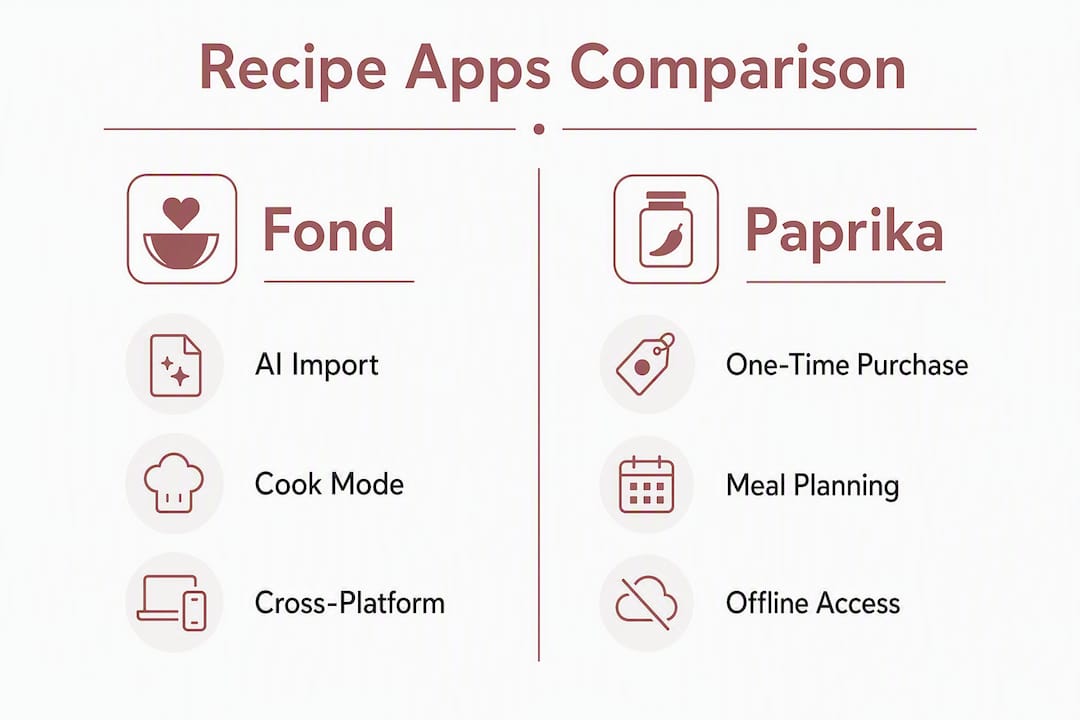
Fond targets people who want to collect recipes from anywhere and actually cook from them, not just hoard links. Its AI import handles URLs, photos of printed recipes, and pasted text, which covers the three most common ways home cooks encounter recipes they want to save. The meal-planner calendar consolidates everything into a single grocery list, so you are not manually copying ingredients from five different tabs on Sunday night.
Pros:
- AI import from URLs, photos, and pasted text covers nearly every source
- Cook mode keeps the screen awake and steps through the recipe one stage at a time
- Cross-platform sync across iOS, Android, and web
- Meal-planner calendar with consolidated grocery list
Cons:
- Free tier caps at 50 recipes, which fills up faster than you expect
- Subscription runs at the higher end of monthly costs among options on this list
- Newer app, so the community recipe library is smaller than legacy platforms
The free tier is generous enough to test thoroughly before committing. Import one complex recipe from a photo and one from a URL, then cook from both using cook mode. That single test will tell you more than any spec sheet.
Paprika is the best one-time-purchase recipe manager
Paprika has been the default recommendation for home cooks who want a stable, no-subscription recipe manager for years. Its web clipper reliably strips recipes from most major cooking sites, and the organizational tools (categories, tags, ratings) are mature and well-designed. You pay once per platform rather than monthly, which appeals to cooks who resent recurring fees.
Pros:
- Stable, well-tested web clipper
- Strong recipe organization with categories, tags, and ratings
- Offline access once recipes are saved
- Basic meal planner and grocery list included
Cons:
- No AI photo import or OCR for printed recipes
- One-time purchase is per platform, so iOS + Mac + Windows adds up
- Fewer modern features than subscription apps like Fond
The per-platform pricing model is the main thing to calculate upfront. A single-device household pays once and is done. A family with iPhones, an iPad, and a Windows PC will spend more than a year of Fond's subscription before syncing across all devices.
Mealime works best for beginners who want guided weekly plans
Mealime takes a different approach than import-first apps. Instead of letting you build your own collection, it offers a curated database of recipes organized around dietary preferences, then generates a weekly meal plan and shopping list automatically. For a beginner who does not yet know what to cook or how to plan a week of meals, that hand-holding is genuinely useful.
Pros:
- Automated weekly meal plans based on dietary filters
- Shopping list generated automatically from the plan
- Clean, simple interface with almost no learning curve
- Free tier covers the core experience
Cons:
- Limited ability to import your own recipes
- Less flexibility for cooks who already have a personal collection
- Pro features (larger recipe selection, nutrition info) require a paid subscription
Mealime is not a recipe manager in the traditional sense. If you want to save your grandmother's lasagna recipe alongside a clipped NYT Cooking link, this is the wrong tool. But if you want someone to just tell you what to cook this week and hand you a grocery list, it delivers.
Plan to Eat suits calendar-first planners with an existing recipe collection
Plan to Eat is built around a drag-and-drop calendar. You save recipes via a web clipper, then drag them onto days of the week to build your plan. The app consolidates all ingredients into a single shopping list organized by store section, which is one of the more practical grocery-list implementations available.
Pros:
- Drag-and-drop calendar makes weekly planning visual and fast
- Consolidated shopping list organized by category
- Cross-day recipe copying saves time on repeat meals
- Works on iOS, Android, and web
Cons:
- Monthly subscription at a price point comparable to Fond, with fewer AI import features
- Web clipper is reliable but lacks photo or OCR import
- Less polished cook mode than Fond
Plan to Eat makes the most sense if your primary habit is planning ahead from a saved collection rather than importing new recipes constantly. Cooks who already have 50+ saved recipes and want a structured weekly workflow will get more from it than someone just starting to build a collection.
Copy Me That is a lightweight clipper for quick recipe saving
Copy Me That focuses on one thing: getting a recipe off a website and into your account cleanly. Its browser extension clips recipes from most major cooking sites with a single click, strips out the ads and life stories, and stores a clean version. The interface is simple by design.
Pros:
- Browser extension clips recipes quickly and cleanly
- Free tier is functional with no recipe cap
- Export options let you move recipes out if you switch apps
- Available on iOS, Android, and web
Cons:
- Meal-planning tools are minimal compared to Fond or Plan to Eat
- No cook mode with step-by-step display
- Free tier includes ads; removing them requires a paid subscription
Copy Me That works well as a companion tool or a starting point before you commit to a full recipe manager. It is not the right choice if you want to plan meals, build a grocery list, or cook step-by-step from your phone.
Mealie is the free, self-hosted option for tech-savvy cooks
Mealie is open-source software you run on your own server or home network. There is no subscription, no data stored on a third-party server, and no recipe cap. For privacy-minded cooks or anyone who wants full ownership of their data, that combination is hard to beat.
Pros:
- Completely free with no subscription cost
- Full data ownership and privacy
- URL import and recipe parsing built in
- Export and backup options are entirely under your control
Cons:
- Requires Docker or a home server to run, which is a real technical barrier
- No native mobile app; access is through a web browser
- Maintenance and updates are your responsibility
The honest trade-off here is time. Setting up Mealie takes hours if you have never run a self-hosted application, and keeping it updated is an ongoing task. For a home cook who just wants to save recipes and cook dinner, that overhead is hard to justify unless you already run a home server for other reasons.
Crouton is the best recipe app for Apple-only households
Crouton is built specifically for iOS, iPadOS, and Mac, and it shows. The interface is clean and native, the recipe viewer is well-designed for cooking from a tablet propped on the counter, and it syncs across Apple devices through iCloud without any additional account setup.
Pros:
- Beautiful native Apple UI on iPhone, iPad, and Mac
- iCloud sync with no third-party account required
- URL and photo import available
- Free to start with a small one-time fee for full features
Cons:
- No Android app and no standalone web access
- Meal-planning features are basic compared to Fond or Plan to Eat
- Not a practical choice for households with mixed iOS and Android devices
If everyone in your household uses Apple devices and you value a polished, native experience over advanced meal-planning tools, Crouton is the cleanest option. The moment one person in the household uses Android, the platform lock-in becomes a real problem.
Recipe Keeper is a solid legacy option, but Paprika usually wins
Recipe Keeper has been around long enough to build a loyal user base, and it earns that loyalty with a straightforward interface, reliable web clipping, and a one-time purchase model. It covers the basics: recipe storage, categories, a basic meal planner, and a shopping list.
Pros:
- One-time purchase with no ongoing subscription
- Available on iOS, Android, Web, and Windows
- Reliable web clipper for major cooking sites
- Simple, low-learning-curve interface
Cons:
- Development pace is slower than newer apps
- Fewer modern import features (no AI photo import or OCR)
- Cross-device sync is less polished than Fond or Paprika
Recipe Keeper vs. Paprika: Both are one-time purchases with web clippers and basic meal planners. Paprika has a more active development history and a stronger organizational system. Recipe Keeper's advantage is broader platform support at a single purchase price rather than per-platform pricing. If you need Windows and Android covered under one purchase, Recipe Keeper has a slight edge. For most other situations, Paprika's organizational depth wins.
How do you pick the right recipe app for your kitchen?
The right recipe app depends on three things: how you collect recipes, how you cook from them, and what devices you use. Here is a practical framework.
Decision criteria to weigh:
- Import reliability: Can it pull recipes from the sites you actually use? Test it on a complex recipe, not just a simple one.
- Cook mode: Does it keep the screen awake? Does it display one step at a time? This matters more than it sounds when your hands are covered in flour.
- Meal planning and shopping list: Do you plan a week at a time? You need a calendar and a consolidated list, not just recipe storage.
- Cross-device sync: Which devices does your household use? Confirm the app works on all of them before paying.
- Pricing model fit: A subscription makes sense if you cook from saved recipes daily. A one-time purchase is better if you save recipes occasionally and want to set it and forget it.
- Offline access: Do you cook in areas with spotty Wi-Fi? Check whether saved recipes are accessible without a connection.
Questions to ask before signing up:
- Can I import my family's handwritten or printed recipes (photo/OCR)?
- Does cook mode keep the screen awake and step through the recipe?
- Can I build a weekly meal plan and generate one shopping list from it?
- Does it sync across every device my household uses?
- What happens to my recipes if I cancel the subscription?
- Is there a free tier I can test before paying?
Red flags to watch for:
- No sync between devices (your recipes are stranded on one phone)
- Import accuracy that requires heavy manual cleanup on every recipe
- Platform lock-in with no export option if you want to switch later
- Opaque pricing that hides the real cost until checkout
Pro Tip: Import one complex family recipe, a dish with multiple components or unusual techniques, using the app's photo or URL import. Then cook from it using cook mode. That single test reveals import accuracy, step clarity, and screen-awake behavior all at once. No review tells you more.
When a digital cooking membership beats a recipe app
Recipe apps store recipes. They do not teach you how to cook. For a beginner who has never broken down a chicken, built a sauce from scratch, or figured out what "medium heat" actually means on their specific stove, a collection of saved recipes creates more confusion than confidence.
A structured membership like AdultingintheKitchen addresses the gap apps leave open:
| What recipe apps give you | What a membership adds |
|---|---|
| Recipe storage and organization | Skill-based instruction that builds technique |
| Web clipping and import | Curated weekly recipe drops matched to your skill level |
| Shopping list generation | Grocery store checklists that teach you what to buy and why |
| Cook mode display | Real chef support when you get stuck mid-recipe |
| Meal-planning calendar | A Starter Pack that sets up your kitchen correctly from day one |
The case for a membership is strongest for two types of home cooks. First, absolute beginners who do not yet have the foundational skills to execute a recipe reliably. Second, time-poor learners who want to build a cooking habit but need structure and accountability to stick with it. Storing 200 recipes does not build a cooking habit. Cooking five new recipes a week with guided instruction does.
Pro Tip: Use both. Start with AdultingintheKitchen to build skills and confidence, then use a recipe app like Fond or Paprika to organize the recipes you have mastered and want to cook again. The membership is the onboarding; the app is the long-term library.
The basic cooking tools you need in your kitchen are part of what AdultingintheKitchen covers in its Starter Pack, which means you are not just collecting recipes but actually setting up to cook them.
What is the bottom line on choosing a recipe app?
Match your primary goal to the right tool, then test before you pay.
- Building and organizing a personal recipe collection? Start with Fond's free tier. If you hit the 50-recipe cap and love the cook mode, the subscription is worth it. If you prefer paying once, Paprika is the most reliable one-time option.
- Planning meals for the week? Plan to Eat's drag-and-drop calendar is the most intuitive workflow for calendar-first planners. Mealime is better if you want the app to choose your meals for you.
- Apple-only household? Crouton gives you the most polished experience without a subscription.
- New to cooking and not sure where to start? Skip the app comparison for now. A structured membership gives you the skills to actually use a recipe app effectively.
Three next steps:
- Pick one app from the shortlist above and import a recipe you already know well. Check whether the import is accurate and whether cook mode works the way you need it to.
- Try the free tier for at least one full week of cooking before paying for any subscription or one-time purchase.
- If you are new to cooking, visit AdultingintheKitchen and explore the membership before investing in a recipe manager you may not yet know how to use effectively.
Short hands-on testing beats reading reviews every time.
Key Takeaways
The best recipe app for most home cooks combines reliable AI import, a cook mode, and a consolidated meal-planning grocery list, with a structured membership being the stronger choice for beginners who need skill-building, not just recipe storage.
| Point | Details |
|---|---|
| Fond leads overall | AI import from URLs, photos, and text plus cook mode and cross-platform sync make it the most complete option. |
| Paprika wins on one-time price | Reliable web clipper and solid organization with no subscription, though per-platform pricing adds up on multi-device households. |
| Beginners need more than storage | A recipe app stores recipes; a membership like AdultingintheKitchen builds the skills to actually cook them. |
| Test before you pay | Import one complex recipe and cook from it using cook mode before committing to any subscription or purchase. |
| AdultingintheKitchen for new cooks | Weekly recipe drops, grocery checklists, a Starter Pack, and chef support address the gaps every recipe app leaves open. |
The real reason hands-on testing matters more than spec lists
Most recipe app comparisons stop at feature lists. That is a mistake, and here is why: import accuracy and cook-mode ergonomics are almost impossible to evaluate from a spec sheet. An app can advertise AI import and deliver a result that requires 15 minutes of manual cleanup per recipe. Another app can list "cook mode" as a feature and still let your screen go dark between steps.
The testing approach that actually reveals these gaps is simple. Import one complex recipe, something with multiple components, unusual ingredients, or a technique that requires precise timing. Then cook from it, live, in your kitchen. That test surfaces import accuracy, step-by-step clarity, screen behavior, and whether the grocery list actually reflects what you need to buy.
What most home cooks underestimate is how much friction accumulates over time. A slightly inaccurate import is annoying once. Multiplied across 50 recipes, it becomes a reason to stop using the app entirely. The same is true for a cook mode that dims the screen every 30 seconds. These are not minor inconveniences; they are the difference between an app you use every week and one that sits unused on your phone.
The other thing worth saying plainly: more recipes stored does not equal better cooking. A curated, usable set of recipes you actually cook from, paired with real planning tools, is more effective than a library of 500 saved links you never open. That principle applies whether you are choosing between Fond and Paprika or deciding whether an app is the right starting point at all.
AdultingintheKitchen gives beginners what recipe apps cannot
Recipe apps are excellent tools once you know how to cook. Before that, they are just organized confusion. AdultingintheKitchen is built for the gap between "I want to cook at home" and "I actually know what I'm doing in the kitchen."
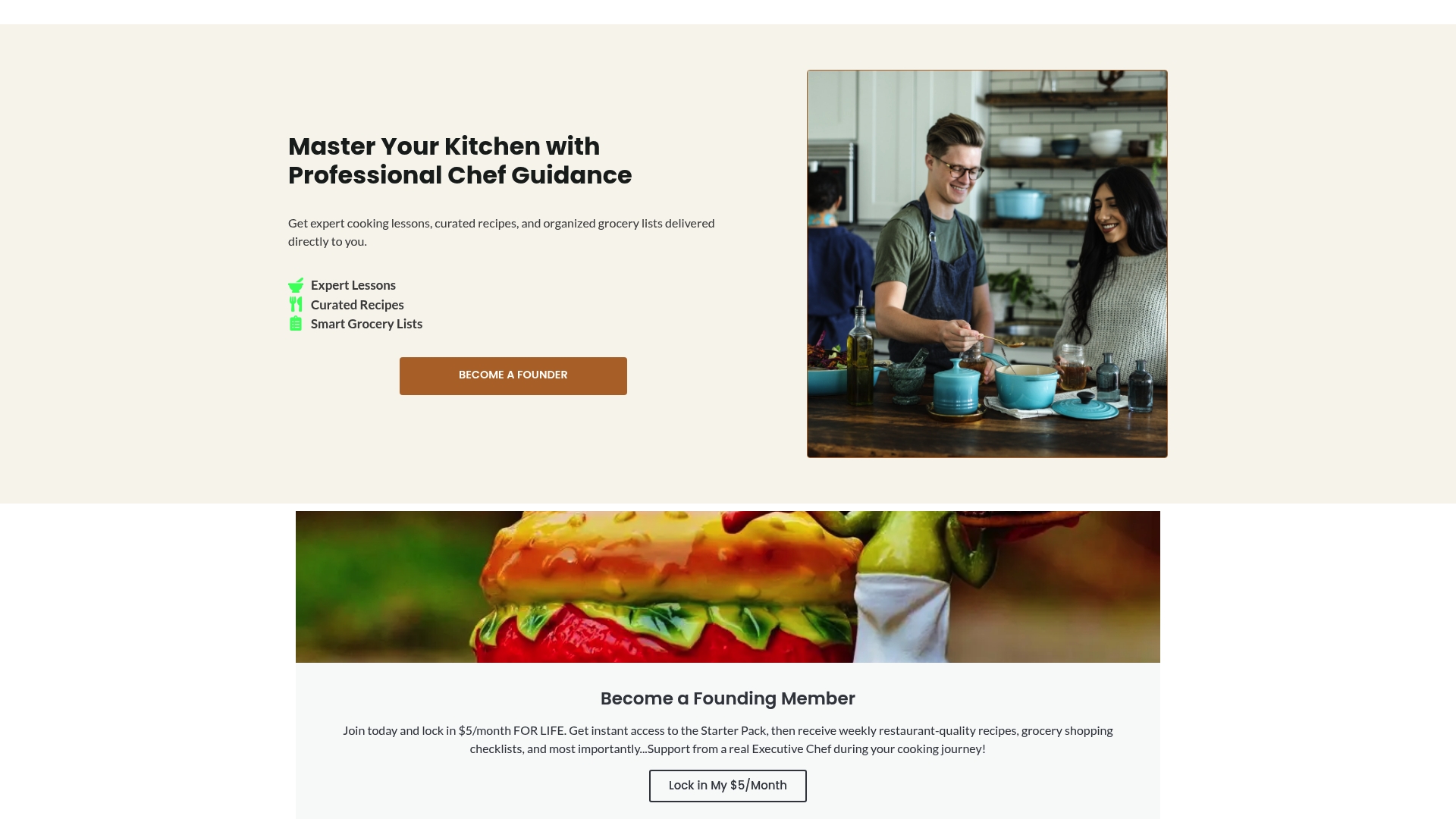
Members get a Starter Pack that covers the tools and setup your kitchen actually needs, weekly drops of five new recipes matched to your skill level, grocery store checklists that take the guesswork out of shopping, and real chef support when you hit a wall mid-recipe. These are the things no recipe app provides.
- Starter Pack: kitchen setup guidance so you have the right tools before you cook your first meal
- Weekly recipe drops: five new recipes every week, curated for skill-building, not just variety
- Grocery checklists: structured shopping lists that teach you what to buy and how to use it
- Chef support: real answers when a recipe step does not make sense
If you are ready to stop relying on delivery apps and start building real cooking skills, join AdultingintheKitchen and get your Starter Pack today.
Sources and further reading
The comparisons and claims in this article draw from official app documentation, product pages, and firsthand testing notes. Last updated: 2026.
| Source | What it covers |
|---|---|
| Fond: Best Recipe Apps in 2026 | Fond product details, Mealie self-hosting overview, and cross-app comparison data |
| Paprika App | Official Paprika pricing, platform support, and feature documentation |
| Mealie Documentation | Self-hosting setup requirements, import capabilities, and backup options |
| AdultingintheKitchen | Membership features: Starter Pack, weekly recipe drops, grocery checklists, chef support |
| Basic Cooking Tools Every Beginner Needs | Starter kitchen tools that pair with the AdultingintheKitchen membership |